 Skip to content

Table of Contents
Technology is at the center of modern business operations. From communication and customer management to accounting and cloud collaboration, organizations rely heavily on computers to maintain efficiency and productivity. However, many companies overlook the importance of regular computer maintenance until performance problems, security incidents, or costly failures begin disrupting daily activities.
Proactive maintenance helps businesses avoid unexpected downtime, extend hardware lifespan, strengthen cybersecurity, and reduce long-term expenses. Rather than reacting to problems after they occur, organizations can implement preventive strategies that keep systems running efficiently and employees productive.
Whether your business operates with five devices or hundreds of workstations, investing in ongoing computer maintenance can provide measurable financial and operational benefits. Companies seeking additional support can also explore our Computer Repair Services and Managed IT Services to improve system reliability and business continuity.
Why Regular Computer Maintenance Matters for Modern Businesses
Many businesses underestimate the impact that poorly maintained computers can have on daily operations. Slow systems, software conflicts, outdated applications, and security vulnerabilities often develop gradually, making them easy to ignore.
Unfortunately, these minor issues frequently evolve into larger problems that affect productivity, customer experience, and profitability.
Preventing Unexpected Downtime
Downtime remains one of the most expensive technology-related issues businesses face. Even a brief interruption can delay projects, disrupt communication, and reduce employee efficiency.
Regular maintenance identifies problems before they become critical failures.
- Hardware health checks
- Software optimization
- Performance monitoring
- Security patch installation
- Storage management
- System diagnostics
Proactive maintenance reduces the likelihood of unexpected disruptions and helps organizations maintain stable operations.
Improving System Performance
Computers naturally accumulate temporary files, outdated applications, unused programs, and fragmented data over time.
Without optimization, devices often become slower, less responsive, and increasingly frustrating for employees.
Regular cleaning, updates, and performance tuning ensure that systems continue operating at optimal levels.
Businesses focused on digital growth may also benefit from combining technology optimization with modern Website Design Services that improve customer experiences.
Enhancing Cybersecurity Protection
Cybersecurity threats continue evolving, and outdated systems remain attractive targets for attackers.
Routine maintenance ensures devices receive:
- Security updates
- Operating system patches
- Endpoint protection updates
- Vulnerability assessments
- Malware scans
- Backup verification
Organizations prioritizing digital protection should also consider our Cybersecurity Solutions for comprehensive risk management.
The National Institute of Standards and Technology provides additional guidance regarding cybersecurity best practices.


How Regular Computer Maintenance Saves Businesses Money
Business leaders often focus on direct expenses while overlooking the hidden costs associated with inefficient technology.
Slow computers, emergency repairs, cybersecurity incidents, and hardware replacements can significantly impact budgets over time.
Reducing Emergency Repair Costs
Emergency repairs are typically more expensive than scheduled maintenance.
Unexpected hardware failures often require immediate attention, premium service fees, and replacement components.
Preventive maintenance helps identify warning signs before they become major issues.
Businesses that invest in regular computer maintenance generally experience fewer urgent support requests and lower repair expenses.
Extending Hardware Lifespan
Computers represent a significant investment for many organizations.
Replacing devices prematurely increases capital expenditures and creates unnecessary financial pressure.
Routine maintenance helps maximize the lifespan of equipment through:
- Dust removal
- Thermal management
- Drive health monitoring
- Battery optimization
- Memory management
- Performance tuning
Businesses can delay costly hardware replacement cycles by maintaining devices properly.
Lowering Productivity Losses
Employee productivity is directly connected to technology performance.
Waiting for applications to load, dealing with crashes, or troubleshooting issues wastes valuable time.
Even small delays can accumulate into substantial losses over an entire year.
According to research published by the Cybersecurity and Infrastructure Security Agency, proactive maintenance and security practices contribute significantly to operational resilience.
Supporting Business Growth
Growing companies require scalable technology environments.
As organizations hire additional staff and adopt new tools, maintaining reliable systems becomes increasingly important.
Businesses utilizing cloud-based platforms may benefit from our Cloud Solutions to support flexible and secure operations.
Image Suggestion

Essential Components of an Effective Computer Maintenance Strategy
Successful maintenance programs involve more than occasional updates.
Businesses should adopt structured procedures that improve reliability and minimize risks.
Software Updates and Patch Management
Software vendors release updates frequently to address security vulnerabilities, improve performance, and add new capabilities.
Delaying updates increases exposure to cyber threats.
Regular maintenance schedules ensure systems remain protected and fully optimized.
Data Backup Verification
Many businesses assume backups are functioning correctly until data loss occurs.
Routine testing verifies that backup systems work properly and that recovery procedures can be executed successfully.
Organizations with critical information assets should also explore Data Recovery Services to strengthen resilience.
Storage Optimization
Storage management plays a major role in maintaining computer performance.
Overloaded drives reduce responsiveness and may increase the likelihood of hardware failures.
Maintenance activities should include:
- Removing unnecessary files
- Archiving old data
- Managing cloud storage
- Monitoring disk health
- Reviewing capacity usage
Employee Awareness Training
Employees contribute significantly to maintaining secure and efficient environments.
Training programs help users recognize suspicious activity, avoid unsafe downloads, and follow recommended cybersecurity practices.
Companies interested in broader business optimization initiatives can review our Services page for additional technology solutions.
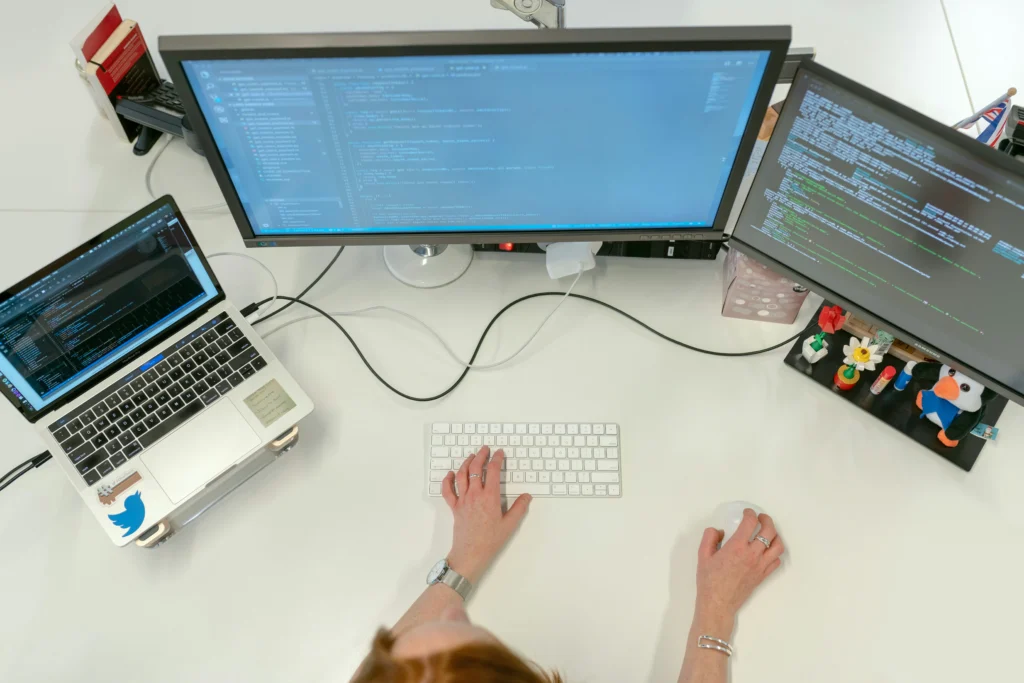

Businesses that proactively maintain their systems are better prepared for growth, better protected against cyber threats, and less likely to experience costly operational interruptions.
To learn more about our experience and technical capabilities, visit our About Us page, explore our Portfolio, or reach out through our Contact Us page.
Frequently Asked Questions About Regular Computer Maintenance
What is regular computer maintenance for businesses?
Regular computer maintenance refers to the ongoing process of inspecting, optimizing, updating, and securing business computers to ensure they operate efficiently. It includes software updates, hardware diagnostics, malware scans, storage optimization, backup verification, and performance monitoring. Businesses that implement regular computer maintenance often experience fewer technical issues and improved productivity.
How often should businesses perform regular computer maintenance?
The ideal maintenance schedule depends on the size of the business, the number of devices, and the complexity of the IT environment. Basic maintenance tasks such as software updates, antivirus scans, and temporary file cleanup should be performed weekly or monthly. More comprehensive assessments, including hardware inspections and backup testing, are typically recommended every quarter.
Why is regular computer maintenance important for small businesses?
Small businesses often operate with limited IT resources, making them more vulnerable to unexpected downtime and costly repairs. Regular computer maintenance helps reduce operational risks, improve cybersecurity, extend hardware lifespan, and maintain consistent performance. Preventive maintenance is usually far less expensive than emergency troubleshooting or replacing failed equipment.
Can regular computer maintenance improve cybersecurity?
Yes. Cybersecurity is one of the biggest advantages of regular computer maintenance. Updating operating systems, applying security patches, scanning for malware, and reviewing access controls significantly reduce vulnerabilities. Businesses that neglect routine maintenance may become easier targets for ransomware, phishing attacks, and other cyber threats.
What are the most common computer maintenance tasks?
Typical computer maintenance activities include:
Installing software updates
Applying security patches
Running antivirus scans
Cleaning temporary files
Monitoring storage capacity
Testing backups
Checking hardware performance
Removing unnecessary applications
Reviewing user permissions
Optimizing system settings
These practices contribute to a more stable and secure technology environment.
How does regular computer maintenance save businesses money?
Regular computer maintenance reduces unexpected repair expenses, minimizes downtime, and extends the useful life of hardware. Businesses also benefit from increased employee productivity because well-maintained systems operate more efficiently. Over time, preventive maintenance helps organizations avoid expensive emergency support costs and premature equipment replacement.
Is outsourcing computer maintenance a good option?
Many organizations choose to outsource maintenance activities because they gain access to experienced professionals, proactive monitoring, and predictable support costs. Outsourced providers can handle routine maintenance, security updates, and performance optimization while allowing internal teams to focus on business priorities. This approach is especially valuable for growing companies without dedicated IT departments.
What happens if businesses ignore regular computer maintenance?
Neglecting maintenance often leads to slower systems, security vulnerabilities, increased downtime, hardware failures, and higher long-term costs. Businesses may also experience data loss, productivity issues, and customer dissatisfaction. Establishing a maintenance strategy helps organizations avoid these challenges and maintain operational continuity.
How can businesses create a computer maintenance plan?
Businesses should begin by documenting all devices, software applications, and critical systems. Maintenance schedules should include recurring updates, backup verification, security reviews, hardware inspections, and employee awareness training. Working with an IT provider can simplify implementation and ensure maintenance activities remain consistent over time.
Signs Your Business Needs a Better Maintenance Strategy
Many businesses do not realize they have maintenance issues until systems begin affecting daily operations. Technology problems often develop gradually, making them difficult to identify in their early stages.
If your company regularly experiences performance issues, security concerns, or unexpected expenses, improving your maintenance strategy may provide immediate benefits.
Frequent Slowdowns Across Multiple Devices
Computers naturally lose performance over time if they are not maintained properly. Applications become bloated, storage fills up, and operating systems accumulate unnecessary files.
If employees frequently complain about slow response times, long boot sequences, or application crashes, these issues may indicate insufficient regular computer maintenance.
Routine optimization helps restore efficiency while reducing employee frustration.
Increasing Support Requests
Businesses that constantly deal with help desk tickets, emergency repairs, and troubleshooting sessions often lack a structured maintenance process.
Preventive strategies allow organizations to address minor issues before they escalate into major operational disruptions.
Companies seeking proactive technology management can also explore our Managed IT Services for continuous monitoring and long-term support.

Regular Computer Maintenance vs Reactive Repairs
Many organizations continue operating under a break-fix approach, where technical assistance is only requested after a problem occurs.
While this strategy may appear cost-effective initially, long-term expenses are often significantly higher.
| Factor | Regular Computer Maintenance | Reactive Repairs |
|---|---|---|
| Downtime | Minimal | Often Significant |
| Security Protection | Continuous | Limited |
| Budgeting | Predictable | Unpredictable |
| Hardware Lifespan | Extended | Shortened |
| Employee Productivity | Higher | Frequently Impacted |
| Business Continuity | Improved | Higher Risk |
Businesses increasingly recognize that preventive care offers a more sustainable approach to managing technology assets.
Best Practices for Effective Computer Maintenance
Creating a successful maintenance strategy requires consistency, planning, and proper documentation.
Develop a Maintenance Schedule
Organizations should establish recurring maintenance intervals to ensure critical activities are not overlooked.
Maintenance schedules commonly include:
- Weekly antivirus scans
- Monthly performance assessments
- Quarterly hardware inspections
- Backup verification procedures
- Software update reviews
- Security audits
Documenting these processes improves accountability and helps maintain operational stability.
Automate Routine Tasks
Automation can significantly reduce the burden associated with maintenance activities.
Many businesses automate:
- Operating system updates
- Backup creation
- Patch deployment
- Monitoring alerts
- Disk cleanup processes
- Security reporting
Automation helps ensure maintenance tasks are completed consistently and efficiently.
Monitor Hardware Health
Hardware degradation often occurs gradually. Monitoring temperature levels, storage health, memory usage, and system performance can reveal issues before failures occur.
Businesses utilizing aging infrastructure may benefit from evaluations through our Computer Repair Services.
Implement Strong Cybersecurity Policies
Security should remain a central component of every maintenance strategy.
Organizations should regularly review:
- Password policies
- Access permissions
- Endpoint protection
- Employee awareness programs
- Remote access procedures
- Data handling practices
Businesses seeking stronger protection can complement maintenance programs with our Cybersecurity Solutions.


Common Computer Maintenance Mistakes Businesses Should Avoid
Even organizations that prioritize maintenance sometimes make avoidable mistakes.
Understanding these challenges helps businesses create more effective strategies.
Ignoring Software Updates
Postponing updates increases exposure to cybersecurity threats and compatibility issues.
Software vendors frequently release patches to address vulnerabilities, improve performance, and enhance stability.
Skipping Backup Testing
Backing up information is important, but verifying restoration capabilities is equally critical.
Businesses should periodically test recovery procedures to ensure systems can be restored quickly when necessary.
Organizations concerned about recovery readiness may also consider our Data Recovery Services.
Waiting Until Systems Fail
One of the most common mistakes is delaying maintenance until computers become unusable.
Reactive approaches often result in greater downtime, higher expenses, and unnecessary stress.
Neglecting Employee Education
Employees play an important role in maintaining secure environments.
Training staff to recognize suspicious emails, unsafe downloads, and poor password practices contributes significantly to reducing risks.
How Much Does Regular Computer Maintenance Cost?
The cost of maintenance depends on several factors, including the number of devices, support requirements, infrastructure complexity, and security needs.
Businesses may choose between in-house management, outsourced support, or comprehensive service agreements.
Common cost considerations include:
- Device count
- Software licensing
- Security solutions
- Cloud services
- Monitoring tools
- Technical support availability
- Backup systems
Although maintenance requires ongoing investment, organizations often realize substantial savings through reduced downtime and improved efficiency.
Studies conducted by industry analysts consistently demonstrate that preventive maintenance costs significantly less than emergency repair scenarios.
Businesses adopting proactive technology strategies frequently experience:
- Longer hardware lifecycles
- Fewer security incidents
- Higher employee productivity
- Improved operational continuity
- Lower support costs
Conclusion
Technology issues can quietly reduce productivity, increase expenses, and expose businesses to unnecessary risks.
Implementing regular computer maintenance allows organizations to prevent problems before they occur, improve security, extend hardware lifespan, and support sustainable growth.
Businesses that invest in preventive maintenance benefit from more reliable systems, stronger cybersecurity, and greater financial predictability.
Rather than waiting for failures to disrupt operations, companies can proactively protect their technology investments through structured maintenance programs.
Take the Next Step
If your organization wants to reduce downtime, improve performance, and strengthen cybersecurity, investing in proactive maintenance may be the right decision.
Explore our Services, learn more about our experience on the About Us page, review our Portfolio, or reach out through our Contact Us page to discuss customized solutions for your business.
Reliable technology maintenance today can save your business significant time, money, and operational challenges in the future.