 Skip to content

Table of Contents
A website can look professional, load quickly, and still fail to bring in enough customers. If your website not generating leads, the problem is not always a lack of traffic. In many cases, visitors are reaching your pages but leaving without calling, submitting a form, requesting a quote, or starting a conversation.
A website not generating leads can still have visitors, but those visitors are not moving from interest to meaningful business action.
For small businesses, this can be particularly frustrating. You may have invested in professional web design, SEO, content, or digital marketing, yet the website produces little measurable business. The good news is that poor lead generation is often caused by identifiable problems that can be tested and improved.
When a website not generating leads is diagnosed correctly, businesses can often improve results without making unnecessary changes to every part of the site.
In this guide, we will examine 10 common website problems that can prevent visitors from becoming leads. We will look at everything from unclear messaging and weak calls to action to technical issues, poor user experience, and a lack of trust signals.
If you are building a new business website or trying to improve an existing one, reviewing these areas can help you understand where potential customers are dropping out of the conversion process.
1. Your Website Does Not Clearly Explain What You Offer
One of the most common reasons a website not generating leads is that visitors cannot immediately understand what the business does. A website not generating leads often has a messaging problem when visitors cannot quickly connect the company’s services with their own needs. When someone lands on a homepage, they should not have to spend several minutes figuring out what service is being offered, who it is for, or why they should choose the company.
Your homepage should communicate the core value proposition quickly. A visitor should be able to answer three basic questions almost immediately: What do you offer? Who do you help? What should I do next?
Make Your Value Proposition Specific
Generic statements such as “We provide innovative solutions” rarely give visitors enough information to make a decision. Instead, explain the specific problem your business solves and the type of customer you serve.
For example, an IT company could communicate that it helps small businesses improve cybersecurity, manage their technology, recover lost data, or build professional websites. Specificity reduces confusion and gives visitors a reason to continue exploring the site.
For a website not generating leads, clearer service descriptions can make the difference between a visitor continuing to explore and leaving the page.
IT-F1 can use its services section to make these offerings easier to understand, while the About Us page can provide additional information about the company and its expertise.
Connect the Message to Customer Intent
Your website copy should reflect what potential customers are actually looking for. Someone searching for managed IT support has a different problem from someone looking for data recovery or cybersecurity services.
Creating focused service pages allows each visitor to find information that matches their specific need. This can also make it easier for search engines to understand the purpose of individual pages.
For additional guidance on improving search visibility and website structure, the Google SEO Starter Guide provides official recommendations for creating search-friendly websites.

2. Your Website Attracts Visitors but Has Weak Calls to Action
Another major reason a website can receive visitors without generating enough leads is the absence of a clear next step. A website not generating leads may simply fail to tell interested visitors what they should do after reading the page. A visitor may be interested in your service, but if there is no obvious action to take, they may simply close the page and continue searching.
A call to action, commonly called a CTA, tells visitors what they can do next. Examples include requesting a quote, scheduling a consultation, contacting the business, starting a project, or asking for more information.
Give Visitors One Clear Next Step
Every important service page should have a logical action that matches the visitor’s stage in the buying process. Someone researching a service may be more comfortable with “Talk to an Expert” than “Buy Now,” while someone who already understands their problem may be ready to request a quote.
The CTA should also be visible without forcing visitors to search through the page. Important conversion opportunities can appear near the top of the page, after key benefits, and again near the end of the content when appropriate.
Match CTAs to the Service
Different services may require different conversion paths. A visitor interested in cybersecurity solutions may want to discuss a security assessment, while someone experiencing a technical failure may need immediate help through computer repair.
Similarly, a business that has lost important files may be looking for data recovery rather than general IT support. A relevant CTA makes the next step feel natural instead of forcing every visitor into the same generic contact process.
When the CTA reflects the visitor’s actual problem, the website becomes more than an information source. This is especially important when a website not generating leads already attracts relevant visitors but fails to turn their interest into inquiries. It becomes a structured path from problem identification to business inquiry.
3. Your Website Is Difficult to Trust
Even when visitors understand your service and see a clear CTA, they may hesitate to contact you if the website does not establish enough trust. This is especially important for professional services because customers are often considering whether to share personal information, business details, payment information, or sensitive technical problems.
A professional website should answer the visitor’s silent question: “Why should I trust this company?” The answer can come from several elements working together rather than from a single statement.
Show Evidence Instead of Making Only Claims
Statements such as “We are the best IT company” do little to establish credibility on their own. Stronger trust signals include clear service information, relevant experience, professional contact details, project examples, useful educational content, and transparent information about the company.
These elements are particularly valuable for a website not generating leads because visitors need enough confidence to take the next step.
A well-organized portfolio can help demonstrate the type of work the company performs. Educational content in the blog can also demonstrate expertise by answering real customer questions before someone ever contacts the business.
Make Contact Information Easy to Find
Visitors should not have to search extensively to determine how they can contact a business. A clear Contact Us page, consistent contact information, and an easy-to-use inquiry process can reduce friction at the moment when a potential customer is ready to take action.
Trust also depends on the overall quality of the website. A website not generating leads can lose potential customers when small quality issues create doubt about the reliability of the business. Broken links, outdated information, confusing navigation, slow-loading pages, or inconsistent branding can make a legitimate business appear less reliable.
For a new website, building credibility should therefore be treated as part of the conversion strategy rather than as a cosmetic design exercise.

Why is my website not generating leads?
If your website not generating leads, the problem may not simply be a lack of visitors. Common issues include unclear messaging, weak calls to action, poor user experience, slow loading times, lack of trust signals, confusing navigation, and pages that do not match visitor intent. A website can attract traffic but still generate very few inquiries if visitors do not understand what you offer or what action they should take next.
A website not generating leads should therefore be evaluated for both traffic quality and conversion problems rather than traffic volume alone.
How can I generate more leads from my website?
Start by making your main offer clear, creating dedicated service pages, adding strong and relevant calls to action, improving page speed, and making contact options easy to find. You should also provide useful information that answers customer questions and include trust signals such as testimonials, project examples, credentials, and clear business information. Testing different headlines, CTAs, forms, and page layouts can help identify which changes improve conversions.
Why do visitors leave my website without contacting me?
Visitors may leave when they cannot quickly understand your service, do not find the information they need, encounter a confusing layout, or do not trust the business enough to make contact. A complicated contact form can also create unnecessary friction. Review your most important landing pages and ask whether a first-time visitor can understand the offer and identify the next step within a few seconds.
What is a good website conversion rate?
There is no single conversion rate that is considered ideal for every website. Conversion rates vary significantly depending on the industry, traffic source, service, audience, offer, and type of conversion being measured. Instead of focusing only on a universal benchmark, businesses should establish their current conversion rate and continuously test improvements. A useful goal is to increase qualified inquiries while maintaining the quality of leads.
How important is website design for lead generation?
Website design can have a significant effect on lead generation because design influences usability, credibility, navigation, and how easily visitors find important information. However, attractive design alone does not guarantee conversions. A successful business website needs clear messaging, useful content, intuitive navigation, persuasive calls to action, fast performance, mobile usability, and a simple path to contacting the company.
Should every service have its own website page?
For many businesses, dedicated service pages are useful because they allow each service to address a specific customer problem and search intent. For example, IT services such as cybersecurity, data recovery, managed IT, and website development may attract different audiences. Creating focused pages can make it easier for visitors to find relevant information and can also give search engines clearer context about the services a business provides.
How can I improve my website conversion rate?
Improving your website conversion rate starts with identifying where visitors are dropping out. Review analytics data, landing pages, traffic sources, forms, and user behavior. Then improve the areas causing the most friction. If you have a website not generating leads, prioritize the changes that remove the biggest obstacles between visitors and qualified inquiries. Clearer headlines, stronger calls to action, shorter forms, better service explanations, faster loading times, stronger trust signals, and mobile-friendly design can all contribute to better conversion performance.
Can SEO increase the number of leads my website generates?
SEO can increase lead opportunities by helping relevant potential customers discover your website through search engines. However, more organic traffic does not automatically mean more leads. The landing page must satisfy the visitor’s search intent and provide a clear path toward conversion. This is why SEO and conversion optimization should work together rather than being treated as completely separate strategies.
What should I check if my new website gets traffic but no leads?
If a new website receives traffic but generates few or no leads, first check whether the visitors are actually relevant to your services. Then review your homepage and landing pages for unclear messaging, weak CTAs, missing trust signals, confusing navigation, technical problems, and difficult contact forms. You should also check the website on mobile devices and verify that all forms, email links, phone numbers, and conversion tracking work correctly. These checks are particularly important for a website not generating leads because even a small technical problem can prevent an interested visitor from contacting the business.
When should I redesign a website that is not generating leads?
A complete redesign is not always the first solution. Before rebuilding the entire website, identify the specific problems affecting conversions. Analytics, user feedback, technical testing, and conversion data can help determine whether the problem is related to design, messaging, traffic quality, usability, or the offer itself. If multiple fundamental problems exist across the website, a strategic redesign may then be justified.
4. Your Website Has a Poor User Experience
Even when your website has strong content and a valuable service, a poor user experience can prevent visitors from becoming leads. If people cannot find what they need quickly, they may leave before reaching your contact page or inquiry form.
Navigation should feel predictable. Visitors should be able to move from your homepage to a relevant service page, understand the benefits, review supporting information, and contact your business without unnecessary steps.
Make Navigation Simple
A clear navigation structure helps visitors understand where they are and where they can go next. Organize important services logically and avoid forcing users through several unrelated pages before they can find basic information.
For an IT business, separate service categories can make the experience much easier. Visitors looking for managed IT services should not have to search through unrelated cybersecurity or hardware content before finding the information they need.
Design for Mobile Visitors
A website that looks good on a desktop can still provide a frustrating experience on smartphones. Buttons may be difficult to tap, text may be too small, forms may be difficult to complete, and important information may be pushed too far down the page.
Test your most important pages on multiple screen sizes. Make sure navigation, forms, phone links, buttons, and service information remain easy to use without excessive scrolling or zooming.

5. Your Website Is Too Slow
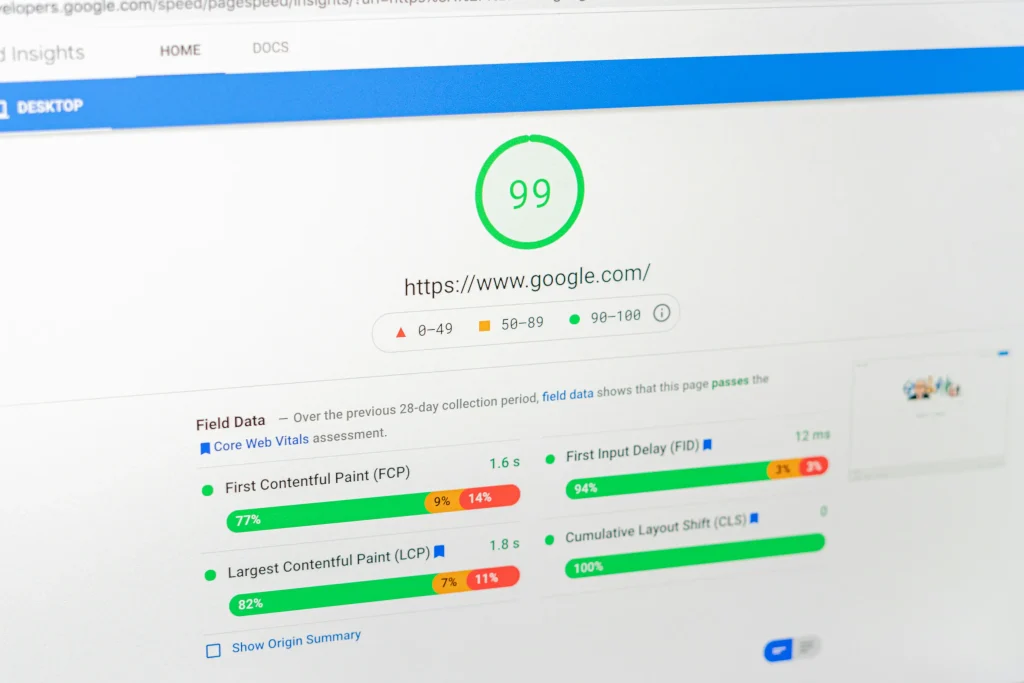
Website performance is another factor that can influence both user experience and conversions. When pages take too long to load, visitors may leave before seeing your offer or reaching a call to action.
Slow performance can come from oversized images, unnecessary scripts, poorly configured hosting, excessive plugins, inefficient code, or third-party services. The solution is not always buying a more expensive hosting plan. The underlying cause needs to be identified first.
Check the Pages That Matter Most
Start with your homepage, major service pages, landing pages, and contact page. These are often among the most important pages in the conversion journey.
Use tools such as Google’s PageSpeed Insights to identify performance issues and potential improvements. Pay particular attention to mobile performance because visitors using mobile devices may have slower connections or less powerful hardware.
Performance optimization should also be balanced with functionality. Removing every visual element or interactive feature is not necessarily the right solution if those elements contribute to understanding or conversion.

6. Your Content Does Not Match Search Intent
A visitor can arrive through Google and still leave immediately if the page does not answer the question behind their search. This is particularly important when a business relies on SEO to attract potential customers.
Imagine someone searches for data recovery services. If they land on a generic homepage containing broad statements about IT services instead of useful information about recovering lost files, the page may fail to satisfy their intent.
Create Pages Around Specific Problems
Effective service content should explain the customer’s problem, describe the available solution, establish credibility, answer important questions, and provide a logical next step.
For example, a dedicated data recovery page can address common causes of data loss, explain what customers should do after an incident, describe the service process, and make it easy to request assistance.
The same principle applies to digital marketing, cybersecurity, managed IT, computer repair, and website design. Each page should have a clear purpose rather than attempting to rank for every possible search query at once.
When content matches intent, visitors are more likely to remain on the page, understand the offer, and continue toward a conversion.
7. Your Contact Forms Create Too Much Friction
Sometimes the problem is not the website itself but the final step required to become a lead. A long or complicated contact form can discourage people who were otherwise interested in your service.
Ask Only for Information You Actually Need
A first inquiry usually does not require a visitor to provide excessive personal or business information. Start with the information your team genuinely needs to respond effectively.
- Name
- Email address or phone number
- Service or type of assistance required
- A short description of the problem
You can collect additional information later when the lead has already established contact. Reducing unnecessary fields can make the conversion process feel faster and less demanding.
Make the Next Step Clear
After submitting a form, visitors should know what happens next. A confirmation message can explain whether someone will respond by email, phone, or another communication channel and what timeframe they should generally expect.
Your contact page should therefore function as part of the conversion experience rather than simply being a form placed at the end of the website.

Website Lead Generation: Which Problems Should You Fix First?
Not every website problem has the same impact. If your resources are limited, prioritize changes according to how strongly they can affect the customer journey.
| Problem | Potential Impact | Recommended Priority |
|---|---|---|
| Unclear value proposition | Visitors may leave without understanding the offer | High |
| Weak calls to action | Interested visitors may not know what to do next | High |
| Poor mobile experience | Mobile visitors may abandon the site | High |
| Slow loading speed | Can increase friction and abandonment | High |
| Weak trust signals | Visitors may hesitate to contact the company | High |
| Long contact forms | Potential leads may abandon the inquiry | Medium |
| Unfocused content | Visitors may not find relevant answers | Medium |
Best Practices to Increase Website Leads
Improving lead generation is usually more effective when it is treated as an ongoing process rather than a one-time redesign. Start by identifying the biggest source of friction and make measurable changes.
- Write clear headlines that explain the primary customer benefit.
- Create dedicated pages for important services.
- Use relevant calls to action throughout the customer journey.
- Make the website easy to navigate on mobile devices.
- Optimize images and other resources that affect page speed.
- Use customer-focused content instead of generic marketing claims.
- Display credible business information and relevant project experience.
- Keep contact forms simple and easy to complete.
- Track important conversion actions rather than traffic alone.
- Test changes before assuming that a redesign will solve the problem.
A useful way to think about website lead generation is as a sequence: attract the right visitor, answer the visitor’s question, establish trust, remove friction, and provide a clear next step. If one stage fails, the entire conversion journey can become weaker.
Common Mistakes That Can Keep a Website From Generating Leads
Businesses often make the mistake of focusing heavily on appearance while overlooking the actual customer journey. A visually impressive website can still perform poorly if visitors cannot understand the offer or contact the company easily.
Relying on Traffic Alone
More visitors do not automatically mean more customers. If the traffic is irrelevant or the landing page fails to convert, increasing traffic can simply increase the number of people who leave without taking action.
Using Generic Marketing Language
Words such as “innovative,” “professional,” and “high quality” are easy for almost any company to claim. Explain what you actually do, who you help, and how your service addresses a specific problem.
Making Every Page About the Company
Visitors are usually more interested in solving their problem than reading a long description of the business. Explain your expertise, but connect it to the customer’s needs, concerns, risks, and desired outcomes.
Ignoring Existing Conversion Data
Before making major changes, review available analytics and conversion data. Determine which pages attract visitors, which pages receive engagement, and where users appear to leave. Data can help you prioritize improvements instead of relying entirely on assumptions.

How Much Does It Cost to Fix a Website That Is Not Generating Leads?
The cost depends on the underlying problem. A website may need only content and CTA improvements, or it may require technical optimization, new landing pages, improved tracking, or a broader redesign.
Simple improvements such as rewriting headlines, improving calls to action, simplifying forms, and reorganizing content can often be handled without rebuilding the entire website. Technical problems may require development work, while a website with outdated architecture may justify a larger redesign.
For this reason, businesses should avoid choosing a solution before diagnosing the problem. Paying for a complete redesign when the primary issue is poor traffic quality or unclear messaging may not improve lead generation.
A better approach is to identify the highest-impact problems first, estimate the work required to address them, and then compare the expected business value against the cost.
Conclusion: Turn Your Website Into a Better Lead Generation Tool
If your website not generating leads, you do not necessarily need more traffic or an entirely new website. The problem may be hidden in your messaging, calls to action, user experience, website speed, content, trust signals, or contact process.
The most effective approach is to evaluate the complete customer journey. Ask whether the right people can find your website, understand your offer, trust your business, find the information they need, and contact you without unnecessary friction.
For businesses investing in long-term digital growth, this process should continue after the initial website launch. Review performance, monitor conversions, listen to customer feedback, and improve the pages that have the greatest potential to generate qualified inquiries.
If you are planning a new website or want to improve an existing one, IT-F1 can help you evaluate the technical, design, and digital requirements involved in building a more effective online presence. Explore our website design services or contact IT-F1 to discuss your business needs and potential next steps.

How to Diagnose a Website That Is Not Generating Leads
When a website not generating leads is the problem, changing random elements on the page is rarely the best starting point. A better approach is to diagnose the entire conversion journey and identify where potential customers are losing interest.
Start by looking at the journey from the first interaction with your business to the final inquiry. A visitor may discover your website through Google, social media, a referral, or a direct search. Each source can bring people with different levels of intent.
Check Where Visitors Enter Your Website
Your homepage is not necessarily the page where every potential customer begins. Search engines may send visitors directly to a service page, blog article, portfolio page, or landing page.
Review which pages receive the most organic traffic and determine whether those pages provide a clear path toward a relevant service. A page can attract significant traffic while generating very few business inquiries if its content does not connect naturally with a commercial need.
Identify Where Visitors Leave
Look for pages where visitors frequently exit without taking a meaningful action. High exit activity does not automatically mean a page is bad, but it can indicate that the content, navigation, offer, or next step needs closer examination.
Google recommends using Search Console and other measurement tools to understand how people discover and interact with a website. Combining search performance data with analytics can provide a clearer picture of which pages attract visitors and which opportunities may need improvement. :contentReference[oaicite:0]{index=0}
Improve Your Website One Conversion Problem at a Time
Trying to fix every part of a website simultaneously can make it difficult to understand which changes actually produced results. Instead, prioritize the problems that are most likely to affect qualified leads.
- Clarify the main value proposition.
- Improve the most important service pages.
- Strengthen calls to action.
- Remove unnecessary friction from contact forms.
- Improve mobile usability.
- Address significant technical performance problems.
- Add relevant trust signals.
- Improve content that does not match search intent.
- Measure conversions consistently.
- Test and refine the changes over time.
This approach makes website improvement more manageable. It also helps prevent businesses from spending money on a complete redesign when a smaller, targeted improvement could solve the real problem.
Measure Qualified Leads, Not Just Form Submissions
A website may appear to perform well if it generates many form submissions, but quantity alone does not tell the whole story. Some inquiries may be irrelevant, incomplete, or unlikely to become customers.
Track the actions that have genuine business value. Depending on the company, this might include qualified contact forms, phone calls, quote requests, consultation requests, or service inquiries.
The goal is not simply to increase the number of people contacting the business. The goal is to create a better path for the right visitors to become qualified prospects.
When SEO Traffic Does Not Convert
SEO and lead generation are closely connected, but ranking for a keyword does not guarantee that visitors will become customers. Search intent determines what a visitor expects to find after clicking a result.
For example, someone searching for “what is cybersecurity” may be looking for educational information. Someone searching for “cybersecurity solutions for small business” may have a much stronger commercial intent.
Your content strategy should therefore include different types of pages for different stages of the customer journey. Educational articles can attract awareness-stage visitors, while focused service pages can address visitors who are closer to making an inquiry.
IT-F1 can support this structure by connecting educational content with relevant services such as cybersecurity solutions, managed IT, digital marketing, and website design.
Do Not Optimize Only for Search Engines
A page should be easy for search engines to understand, but its primary purpose is to help people. Google continues to emphasize useful, people-first content rather than content created simply to manipulate search rankings.
That means keywords should support the topic rather than dominate the writing. Clear explanations, accurate information, useful examples, logical organization, and a satisfying user experience should remain the priority.
What to Do If Your Website Is Brand New
A new website has a different challenge from an established website. It may not yet have enough traffic, search visibility, conversion data, reviews, or historical performance information to identify patterns with confidence.
If your website is new, do not immediately assume that a lack of leads means the design has failed. Search visibility and audience development can take time, and the business may first need to establish its online presence.
However, a new website should still be built with conversion principles from the beginning. Make the service offering clear, create useful pages around customer needs, provide obvious contact opportunities, and make sure the technical foundation is reliable.
Publishing useful content consistently can also help build topical coverage. Your blog can answer customer questions while creating additional opportunities for relevant search traffic.
Build Trust Early
New businesses may not have years of online reviews or a large portfolio. In that situation, transparency becomes especially important.
Provide clear information about your services, explain how your process works, show relevant experience, maintain professional contact information, and publish useful educational content. These elements can gradually strengthen the credibility of a new website.
When You Should Consider a Website Redesign
Not every conversion problem requires a complete redesign. If the existing website has a strong technical foundation, it may be possible to improve performance through targeted changes to content, navigation, CTAs, forms, and landing pages.
A redesign becomes more reasonable when the existing website has fundamental structural problems. These may include outdated technology, poor mobile usability, confusing navigation, inconsistent branding, weak service architecture, serious performance limitations, or a design that makes important information difficult to access.
Before approving a redesign, identify the business problems it is expected to solve. A new visual style by itself is not a lead-generation strategy.
A Practical Website Lead Generation Checklist
If you are wondering why your website not generating leads, use this checklist before making major changes:
- Can a first-time visitor understand what the business offers immediately?
- Is the target customer clearly identified?
- Does every important service have a relevant page?
- Are calls to action easy to find?
- Does each CTA match the visitor’s likely intent?
- Is the website easy to use on mobile devices?
- Do important pages load efficiently?
- Are contact forms short and simple?
- Are phone numbers and contact options easy to access?
- Does the website demonstrate credibility and expertise?
- Does the content answer real customer questions?
- Does each important page have a logical next step?
- Are conversions being tracked?
- Are you measuring qualified leads rather than traffic alone?
Going through this list can reveal problems that are easy to overlook when you only evaluate your website from the perspective of its owner.
Final Takeaway
A website that does not generate enough leads is not necessarily a failed website. In many cases, the underlying problem is a disconnect between what visitors need and what the website communicates, provides, or asks them to do.
The most important step is to identify that disconnect. Start with your message, service pages, calls to action, user experience, technical performance, trust signals, and contact process. Then use actual performance data to decide what deserves attention first.
For a new website, focus on building a strong foundation rather than expecting immediate results from traffic alone. For an established website, use analytics and customer behavior to identify specific conversion problems before investing in major changes.
Google’s current Search documentation also emphasizes monitoring search performance and using Search Console to understand how pages perform in search. :contentReference[oaicite:1]{index=1}
If your website needs a stronger technical foundation, better service structure, or a clearer path from visitor to customer, IT-F1 can help evaluate the areas that may be limiting your online growth.
Explore the available IT-F1 services, review relevant projects and capabilities, or contact the IT-F1 team to discuss what your business website needs next.